When running a scan with Bitdefender, some items might be flagged as password-protected. A similar message may appear during a Bitdefender scan or in the scan log:
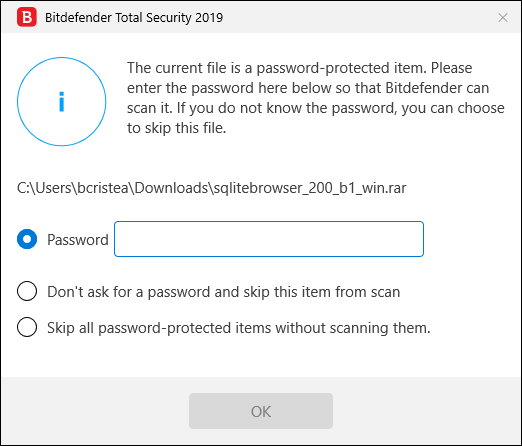
The current file is a password-protected item. Please enter the password here below so that Bitdefender can scan it. If you do not know the password, you can choose to skip this file.
This notification indicates that the files are either protected with a password or by some form of encryption. Password-protected files belong in most cases to legitimate software. They are protected with a randomly generated password by their developers to avoid reverse engineering for malicious purposes. Most commonly, these are:
• Files that belong to another security solution.
• Files that belong to the operating system.
The password-protected archives require a password so that they can be opened and checked for malware. This notification appears because Bitdefender (or any other security solution) is unable to unpack the contents of such items and scan them. To actually scan their content, these files would need to either be extracted or otherwise decrypted.
When the notification pops up, you can:
• Type the password in the corresponding field so that Bitdefender can scan it.
• Skip the object from that particular scan.
• Skip all password-protected items without scanning them.
Regardless of this, should the contents of the password-protected files be extracted, Bitdefender’s real-time protection would automatically scan them to keep your computer protected. If you want to scan this type of file you’ll have to contact the product manufacturer to provide you with more details on those files. Our recommendation is to ignore password-protected archives as they are not infected and are not a threat to a system.